Security That Ends When the User Walks Away is Not Security

Security That Ends When the User Walks Away is Not Security
Most security conversations start with login: passwords, MFA, passkeys, badges, and biometrics. All very important, because they decide who gets into your systems. But there’s a problem we don’t talk about enough: Access doesn’t end when the user walks away.
And that gap between “authenticated” and “unattended” is where real exposure happens. In many environments, the most common security failure isn’t a sophisticated hack. It’s a workstation left behind with an active session.
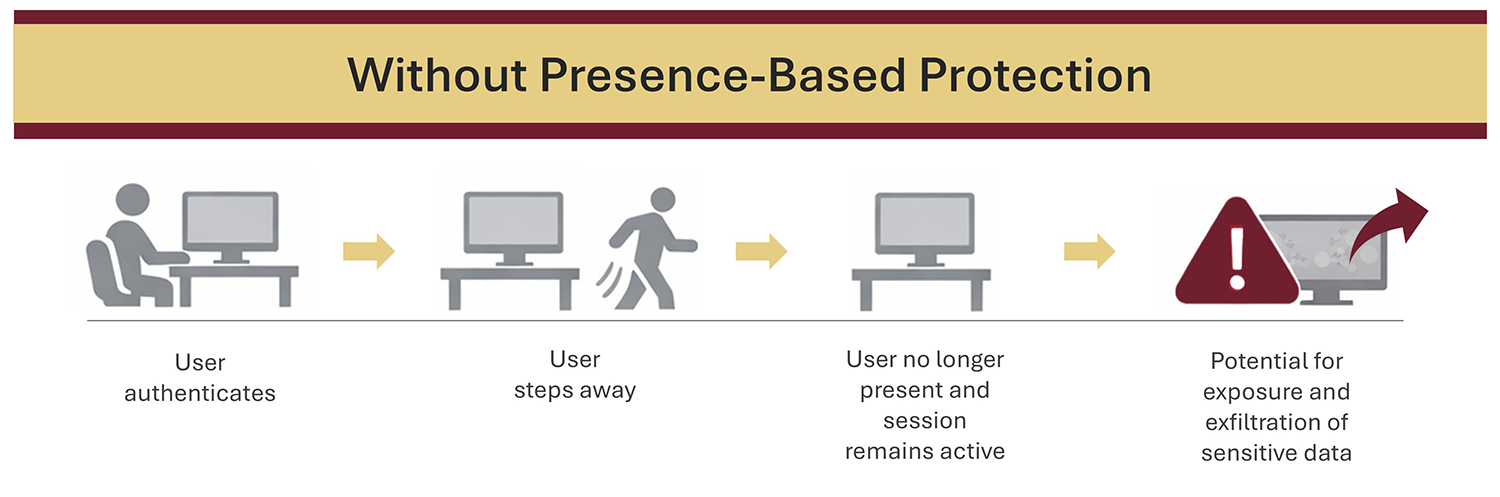
The “Walk-Away Gap” That Creates Real Risk
If you’ve worked in an office, hospital, school, on a factory floor, or at a public-facing service desk, you’ve seen it:
- A user steps away “for just a second”
- The screen stays unlocked
- The session remains authenticated
- And the next person who passes by has access, intended or not
This isn’t a reflection about “bad people” or workers. It’s about real workflows at shared workstations in busy environments with constant interruptions.
Humans are constantly on the move, while their systems sit vulnerable to unauthorized access unless protected. An authenticated session is a valuable asset, and if it persists beyond the authorized user, it becomes a liability.
Why “Just Use a Screen Saver Timeout” Isn’t Enough
A common response we hear is: “We already lock screens automatically.”
This usually infers that either a manual habit (Windows + L, logout, lock screen) is being used or a time-based inactivity setting (screen saver timeout) is being invoked. Both help, but neither is a complete answer. Manual locking depends on perfect human behavior, but even conscientious employees sometimes forget, especially when they’re rushed, interrupted, or in shared spaces.
Timeouts protect according to a clock, but are not based in reality. A 5-minute timeout is too long in a shared environment, leaving open a sizeable opportunity for unauthorized access. And some timeouts can be too short in a real workflow. Time-based rules don’t understand context. They don’t know if a user is present. They only know whether the keyboard and mouse have been touched. This is a core weakness, because idle time is not the same as absence.
The Security Principle That Changes Everything: Presence
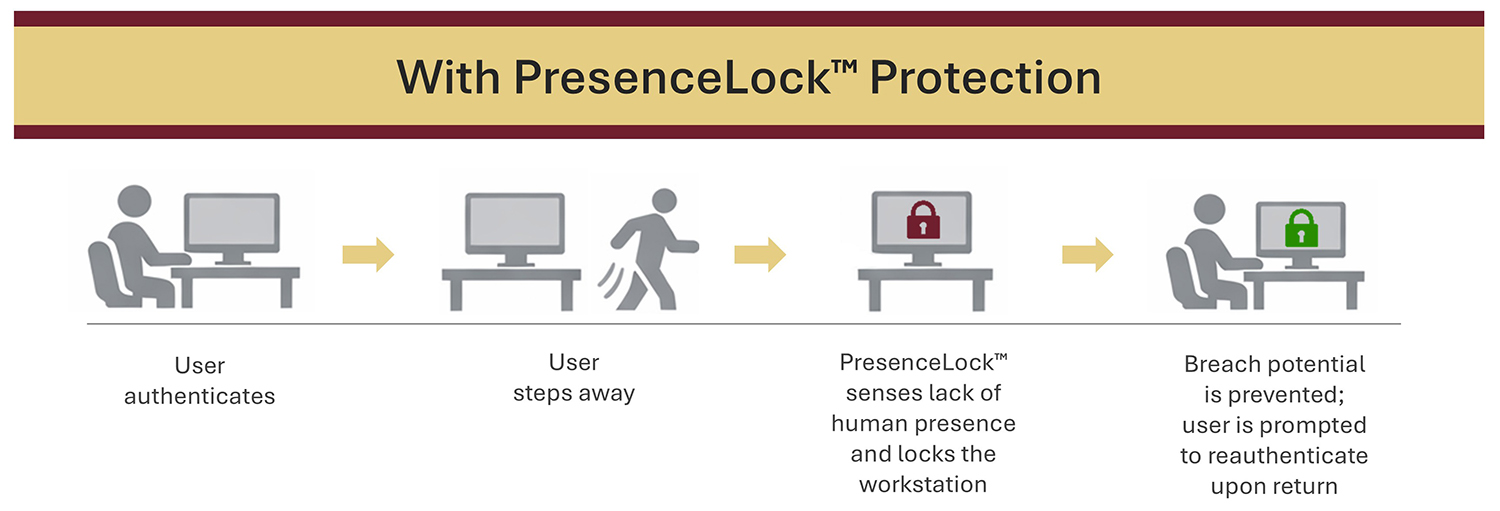
If access risk is created by absence, then security needs to respond to absence. Presence-based access control is built around a simple idea:
- When the correct user is present, their session remains active
- When the user walks away, their session locks automatically
This is what KSI PresenceLock™ is designed to do — close the walk-away gap by tying session continuity to continued human presence. PresenceLock is not a replacement for authentication, but a very much needed extension to it. A secure login followed by an unsecured unattended session is not secure — it’s just delayed exposure.
Why Unattended Sessions Are So Dangerous in Shared Environments
The damage of an unattended session is not hypothetical. The problems are well-documented:
- Sensitive information remains visible
- Authenticated applications stay open
- Actions can be taken under someone else’s identity
- Accountability becomes unclear
- Risk spreads quickly when multiple users rotate through the same workstation
In shared spaces, the stakes are higher because the “next person” isn’t a rare instance. It is the normal operating model and the reason why shared workstations need security that persists after login — not security that ends when the human leaves their workstation.
The Real Goal: Make Secure Behavior Easy Behavior
Good security design reduces reliance on memory and perfect habits. The easiest system to bypass is the one that depends on people doing everything right, every time, under pressure. Presence-based locking supports an easier and more effective model:
- Secure behavior happens automatically
- Workflows aren’t interrupted
- Exposure windows shrink without adding friction
PresenceLock’s walkaway autolock security is behavior that holds up in real environments.
Closing Thought
Authentication answers the question: “Who are you?” However, modern environments also need a second question answered continuously: “Are you still here? If security ends when the user walks away, it doesn’t end risk. It hands access to whoever comes next. And that’s not security.
Key Takeaways
- Security doesn’t end at login — exposure often begins after login
- In shared environments, unattended sessions create a multiplier effect of risk
- Time-based screen locks help, but they don’t sense absence vs. inactivity
- Presence-based locking reduces reliance on perfect habits
- If access persists after the user leaves, security is incomplete